
How to Convert Legacy DOC, XLS, and PPT Files Without Microsoft Office
On this page
- What legacy DOC, XLS, and PPT and DOCX, XLSX, and PPTX actually mean
- When this conversion makes sense
- The short workflow
- What happened in our LocalFlux 1.0.8.0 test
- How to verify the converted file
- Quality, compatibility, and file size
- Troubleshooting
- Privacy notes for local conversion
- Frequently asked questions
- Publication evidence
Old Office binary files can become a practical access problem long before their contents stop mattering. A .doc may hold a contract, an .xls a budget, and a .ppt the only copy of a presentation. Current systems usually prefer DOCX, XLSX, and PPTX, yet installing Microsoft Office solely for migration may not be desirable.
LocalFlux performs these conversions with its bundled LibreOffice runtime. Microsoft Word, Excel, and PowerPoint were not launched or automated in our tests. We converted one representative file for each route with the installed LocalFlux 1.0.8.0 x64 package and retained every source alongside the new output.
What legacy DOC, XLS, and PPT and DOCX, XLSX, and PPTX actually mean
DOC, XLS, and PPT are three different Microsoft binary formats, not one generic “old Office” container. They carry different structures and different risks. DOC can contain styles, tables, fields, revisions, and embedded objects. XLS can contain formulas, names, charts, external links, and macros. PPT can contain themes, notes, transitions, animations, media, and OLE objects.
Their common modern counterparts, DOCX, XLSX, and PPTX, belong to the Office Open XML family. Each is a ZIP package with type-specific XML parts and relationships. Macro-free x formats do not preserve VBA the way DOCM, XLSM, and PPTM are designed to do.
Plan the work as three migration lanes with a shared preservation rule: keep the binary original. A DOC acceptance checklist cannot approve an XLS formula, and an XLS check cannot approve a PPT animation.
When this conversion makes sense
Convert when the destination genuinely requires DOCX, XLSX, and PPTX, not simply because the extension looks newer. A compatibility copy is useful when it solves a concrete playback, editing, sharing, or document-exchange problem.
Good reasons include:
- creating modern editable access copies of macro-free legacy files
- small archive triage before a larger migration
- working on a Windows PC without installing Microsoft Office
- keeping private business documents out of web converters
Pause or choose another workflow when you are:
- batching unknown macro-enabled files into macro-free outputs
- using one visual spot check for all three document types
- discarding binary originals after a successful-open message
- describing an alternate office suite as Microsoft Office
Inventory macros, passwords, external links, embedded objects, fonts, media, and unusual layouts before conversion. Use a macro-capable preservation strategy where automation matters.
The short workflow
- Copy the source files into a working folder and keep an untouched backup.
- Open LocalFlux and stay on Convert.
- Add files from one legacy family only: DOC, XLS, or PPT. Save any edits and close the source in its editor first.
- Use three separate batches: DOC → DOCX, XLS → XLSX, and PPT → PPTX. Select only one output format for each batch, complete and inspect it, then start the next group.
- Start the queue and wait for the completed status.
- Verify the new files before moving, sharing, or deleting anything.
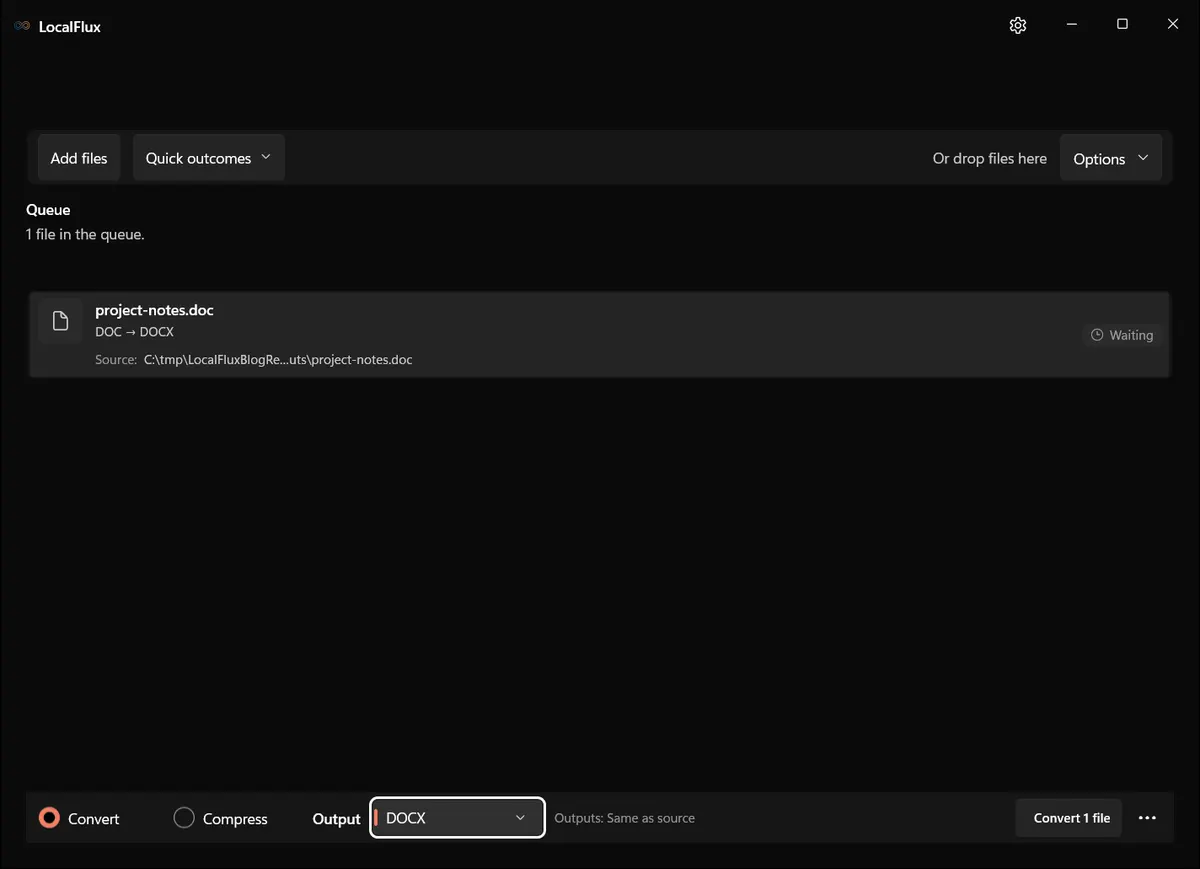
Interface screenshots were refreshed in October 2026 using a build reconstructed from the documented LocalFlux 1.0.10.0 release source. Historical measurements and downloads below retain their original test scope. Capture records: 1 · 2 · 3
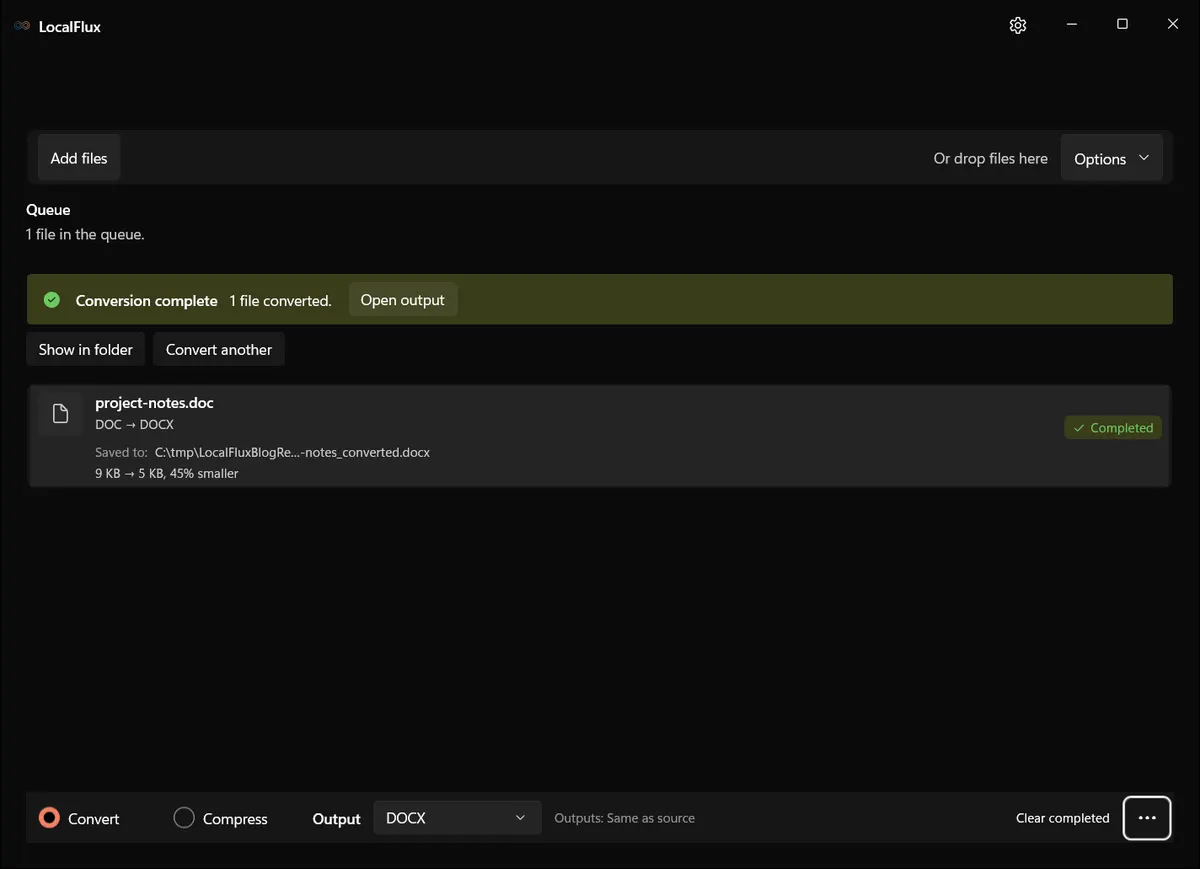
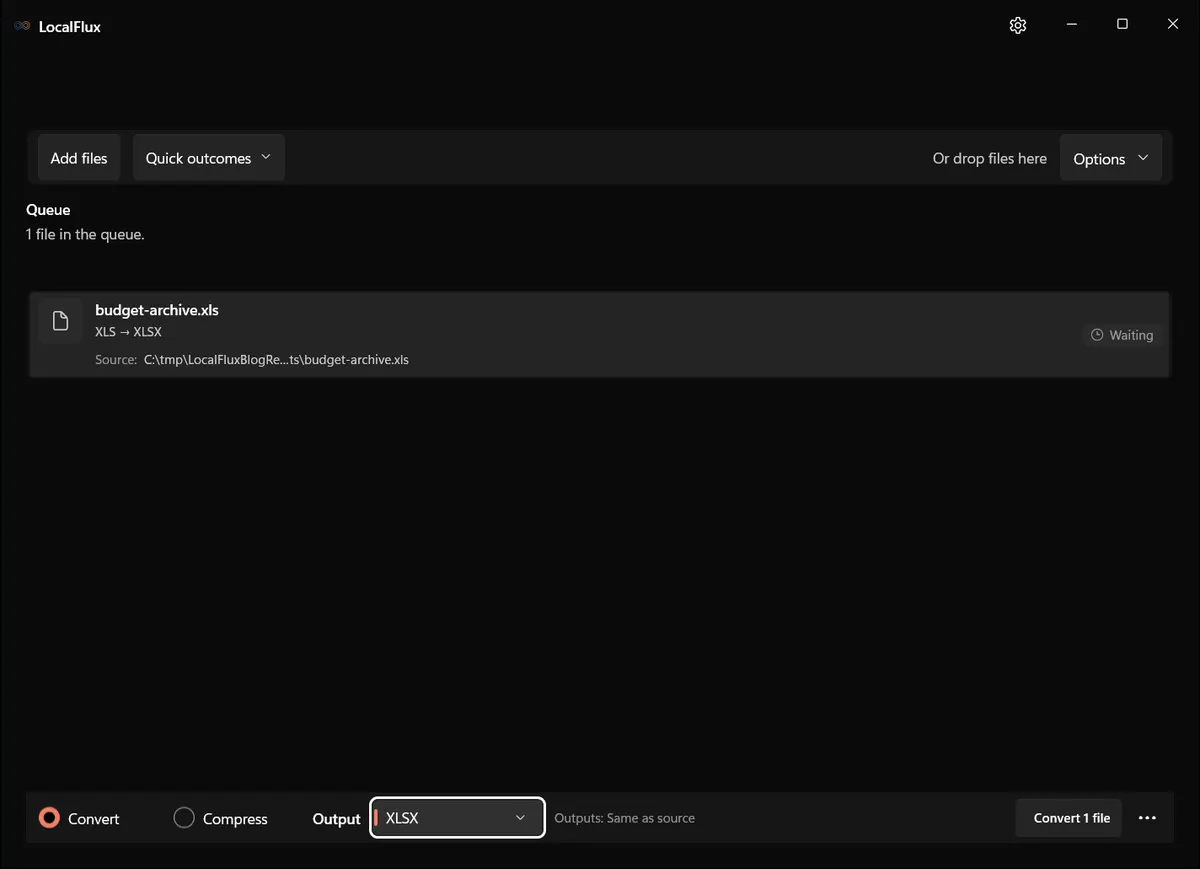
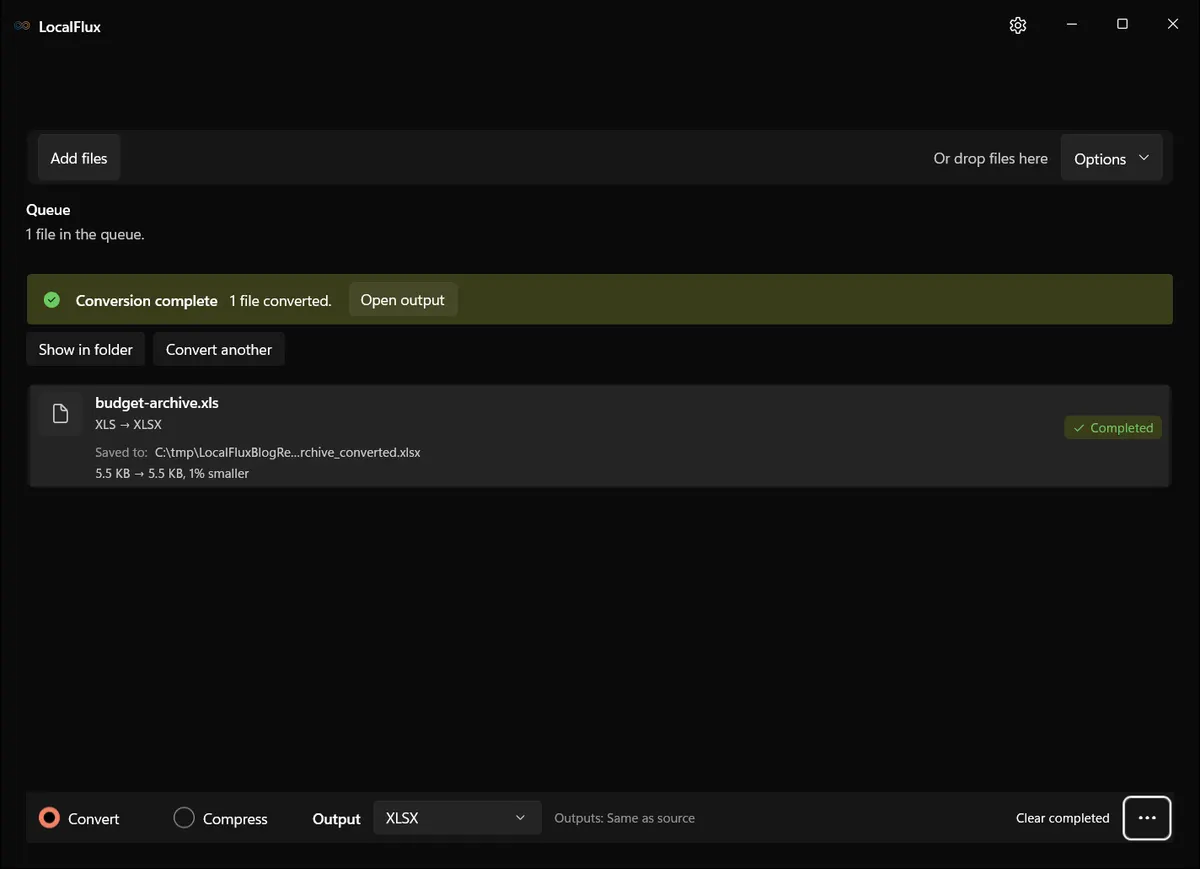
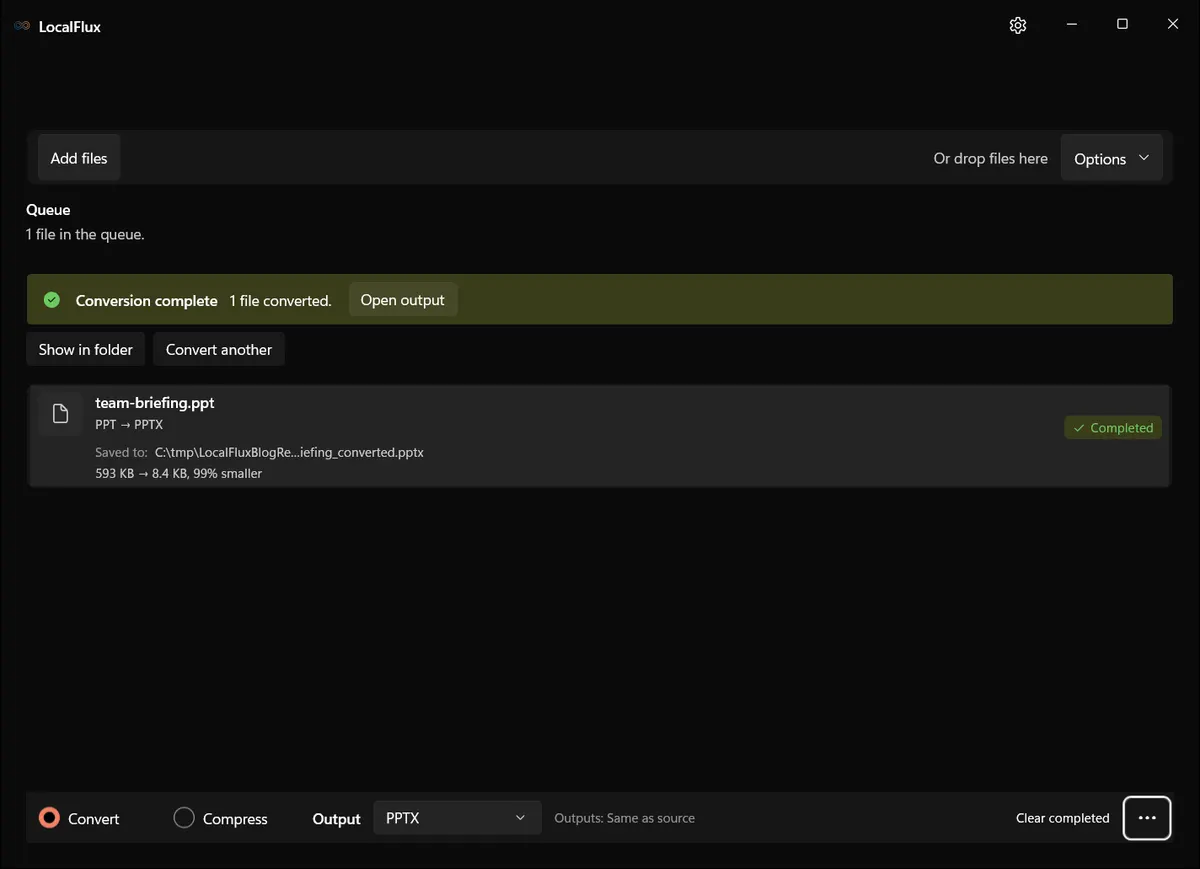
October 2026 recheck: all 30 newly captured outputs have the same inspected content as their historical counterpart. DOCX contains two paragraphs; XLSX has two text cells and no formulas; PPTX has one title in an approximately 0.11-point-square box. Independent LibreOffice PDF exports of both the original PPT and historical PPTX are blank. The 99% reduction therefore does not demonstrate a usable presentation. Current PPTX is 8,635 bytes; the historical table correctly retains 8,634. Package parsing is not complete schema validation or Microsoft Office layout certification. 2026-10
What happened in our LocalFlux 1.0.8.0 test
| Route | Input | Output | Observed result |
|---|---|---|---|
project-notes.doc → DOCX | 9,216 bytes | 5,106 bytes | Valid WordprocessingML package; 45% smaller |
budget-archive.xls → XLSX | 5,632 bytes | 5,603 bytes | Valid SpreadsheetML package; about 1% smaller |
team-briefing.ppt → PPTX | 607,232 bytes | 8,634 bytes | Valid PresentationML package; 99% smaller |
The dramatic PPT reduction reflects a tiny sample slide stored in a large legacy binary fixture; it is not a forecast for real presentations. Each modern output contained the expected type-specific Open XML parts. The fixtures are macro-free and intentionally simple, so they cannot prove preservation of advanced Office features.
The source SHA-256 hashes were unchanged after conversion. See the published test record and SHA-256 media manifest below for the exact files and tested package.
How to verify the converted file
- For DOCX: compare text, styles, tables, images, links, headers, footers, fields, and page count.
- For XLSX: compare values, formulas, formats, sheet state, names, charts, links, and macro inventory.
- For PPTX: compare slide count, text, images, notes, fonts, transitions, animations, media, and editability.
- For all three: inspect warnings and test in the intended destination application.
- Retain hashes and originals until the migration owner signs off.
Quality, compatibility, and file size
Modernization is not archival equivalence. A document can become easier to open while losing behavior that mattered. Separate content acceptance, visual acceptance, and functional acceptance. A reviewer who understands the document should decide what is material; file size and a green completion banner cannot make that decision.
Byte count remains useful as a diagnostic. An implausibly tiny result can signal missing streams or objects, and an unexpectedly large result can reveal a different encoding strategy. But a plausible size is never proof of fidelity. Use it alongside format-aware checks.
Troubleshooting
Choose the corresponding modern format explicitly because PDF may be the default. If a password prompt or unreadable-file error appears, do not bypass it. If Word layout shifts, investigate fonts and fields. If spreadsheet formulas change, stop the batch and inspect function compatibility. If a presentation loses media or animations, preserve the PPT and consider a specialist workflow. Never treat a 99% size reduction alone as proof of success.
When a conversion fails, do not keep changing the source extension. Work from a copy, record the exact error, and determine whether the issue is corruption, protection, an unsupported codec or feature, a locked file, or insufficient disk space. Retry one file at a time before returning to a batch.
Privacy notes for local conversion
The screenshots and sample files in this package are privacy-safe editorial fixtures. They contain no accounts, notifications, personal filenames, customer data, or cloud URLs. The conversion occurred through the desktop app with bundled local runtimes.
Local processing reduces the need to send a file to an unknown converter website, but normal endpoint security still matters. Protect the Windows account, keep sensitive outputs in an appropriate folder, and remove temporary copies according to your retention policy. Do not publish screenshots made from real confidential documents simply because the conversion itself was local.
For client or internal documents, pair these output checks with the file-converter security guide; local conversion does not replace approved storage and delivery.
Frequently asked questions
Do I need Microsoft Office?
No for this tested conversion path. LocalFlux used bundled LibreOffice and no Microsoft Office process or automation.
Can I convert DOC, XLS, and PPT together?
Yes, but use a separate batch for each target. Finish DOC → DOCX before starting XLS → XLSX or PPT → PPTX.
What happens to macros?
The DOCX, XLSX, and PPTX targets are macro-free. Inventory automation before converting.
Why keep the old files?
They preserve features a converter may omit and allow future reprocessing.
Is a successful open enough?
No. Validate structure, appearance, and behavior appropriate to each document type.
Publication evidence
Technical references
The format guidance above is checked against these independent specifications and platform references.
- ECMA-376 Office Open XML file formats, Ecma International
- OpenDocument Version 1.3, OASIS Open