
HEIC → JPEG
Convert phone photos in batches
Queue multiple HEIC or HEIF photos and create widely compatible JPEG copies together.
Convert images, audio, video, and documents on Windows 11. LocalFlux saves each result as a new file, keeps your originals unchanged, and does not upload source files for conversion.
Free 7 day trial
US$
Prices vary by region. Your local price is shown in Microsoft Store.
Microsoft Store · Windows 11 · x64 and ARM64 · one time purchase after trial
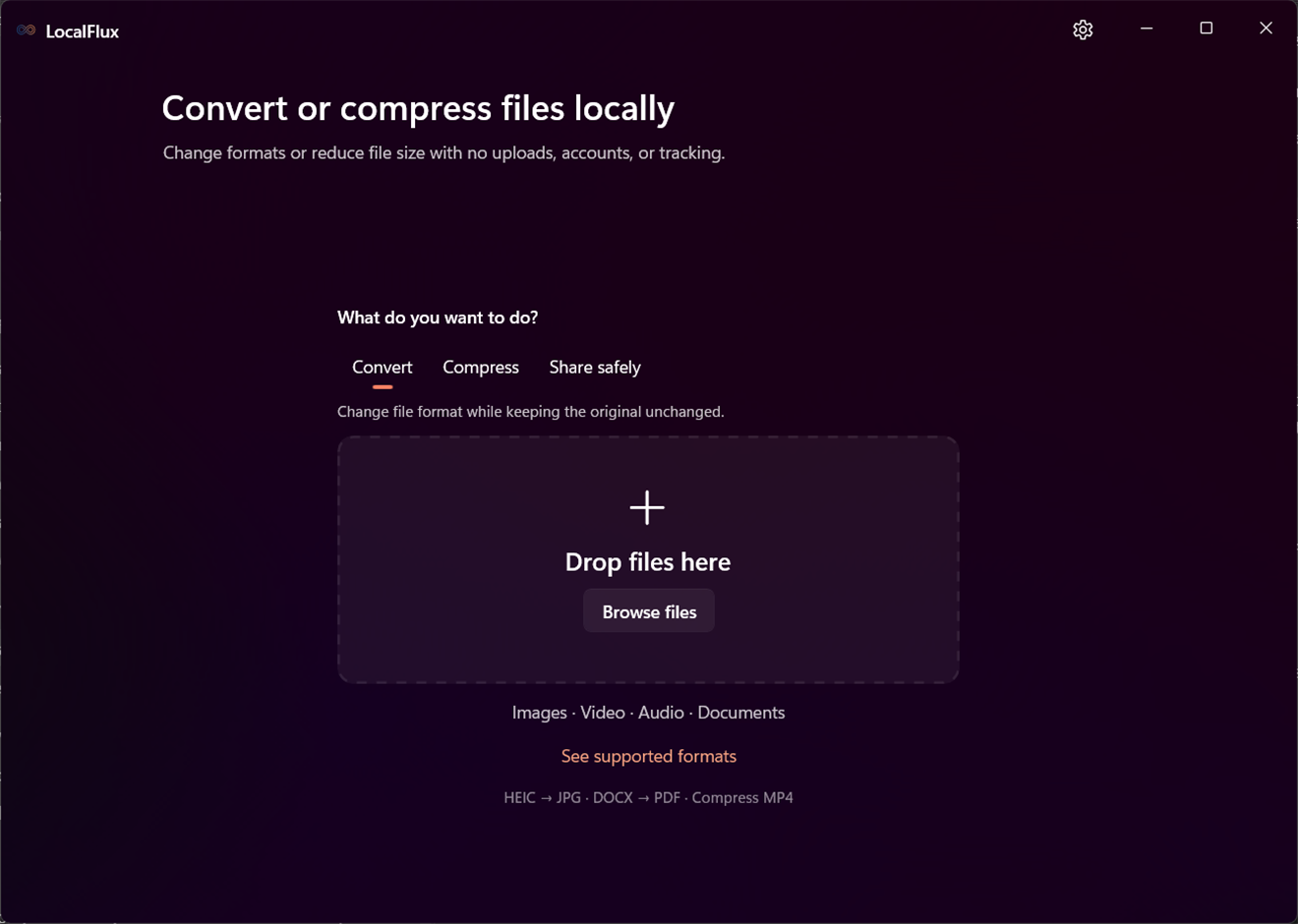
Start with the result you need. LocalFlux keeps the route explicit and shows only the controls that apply.
HEIC → JPEG
Queue multiple HEIC or HEIF photos and create widely compatible JPEG copies together.
Video → target size
Use practical compression presets or a maximum-size goal while keeping the original file intact.
Office → PDF
Turn supported Office, OpenDocument, text, or Markdown files into local PDF copies.
Image → metadata-reduced copy
Create JPG, PNG, or WebP copies without supported location, device, author, and date metadata.
Supported conversions run locally after Store setup. The ordinary workflow stays short and keeps the result explicit.
Drag files into LocalFlux or choose them from your PC.
Pick a supported format or compression result and review the applicable settings.
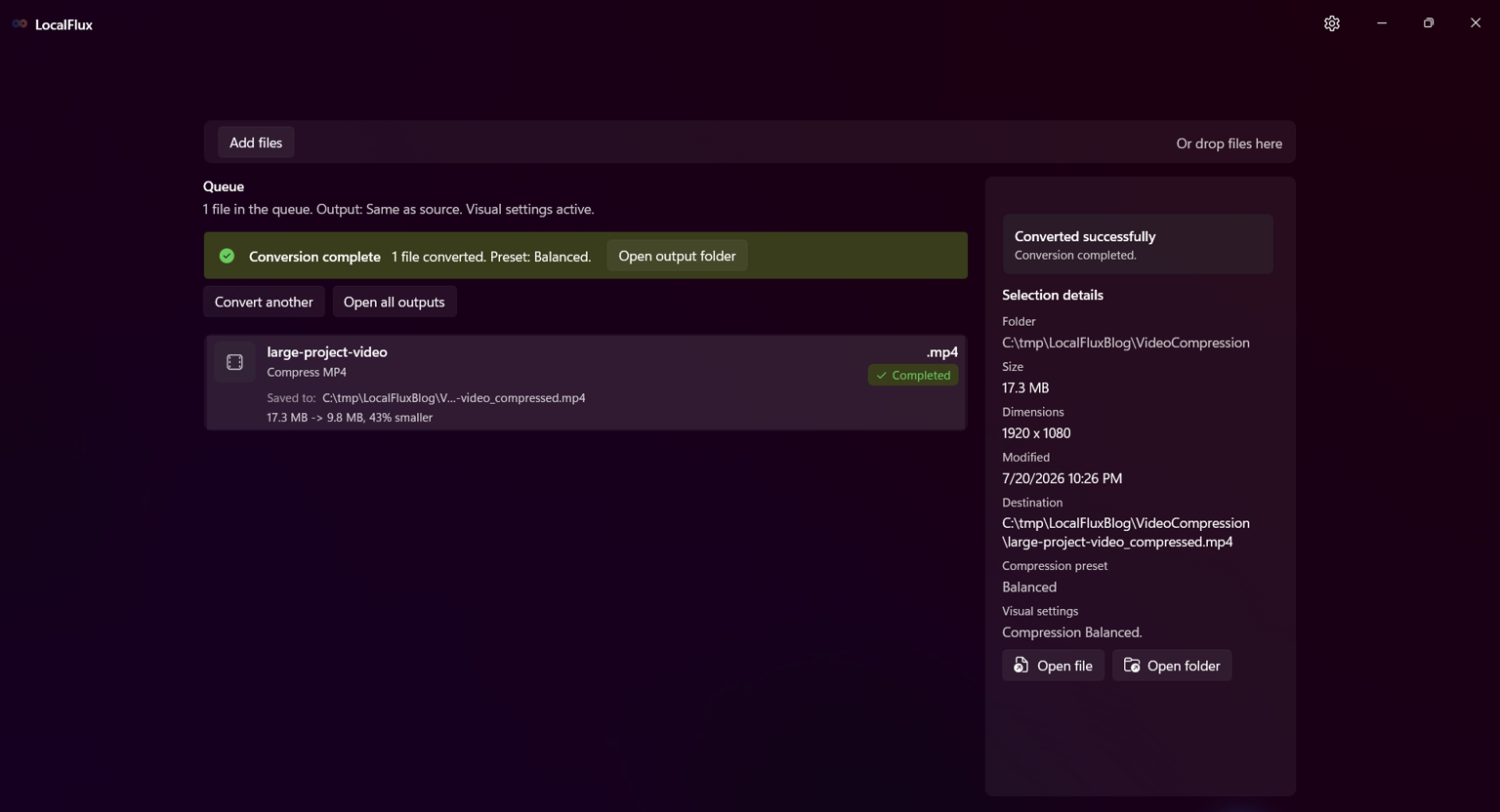
Start the job, then open the completed copy or its folder. Your original remains unchanged.
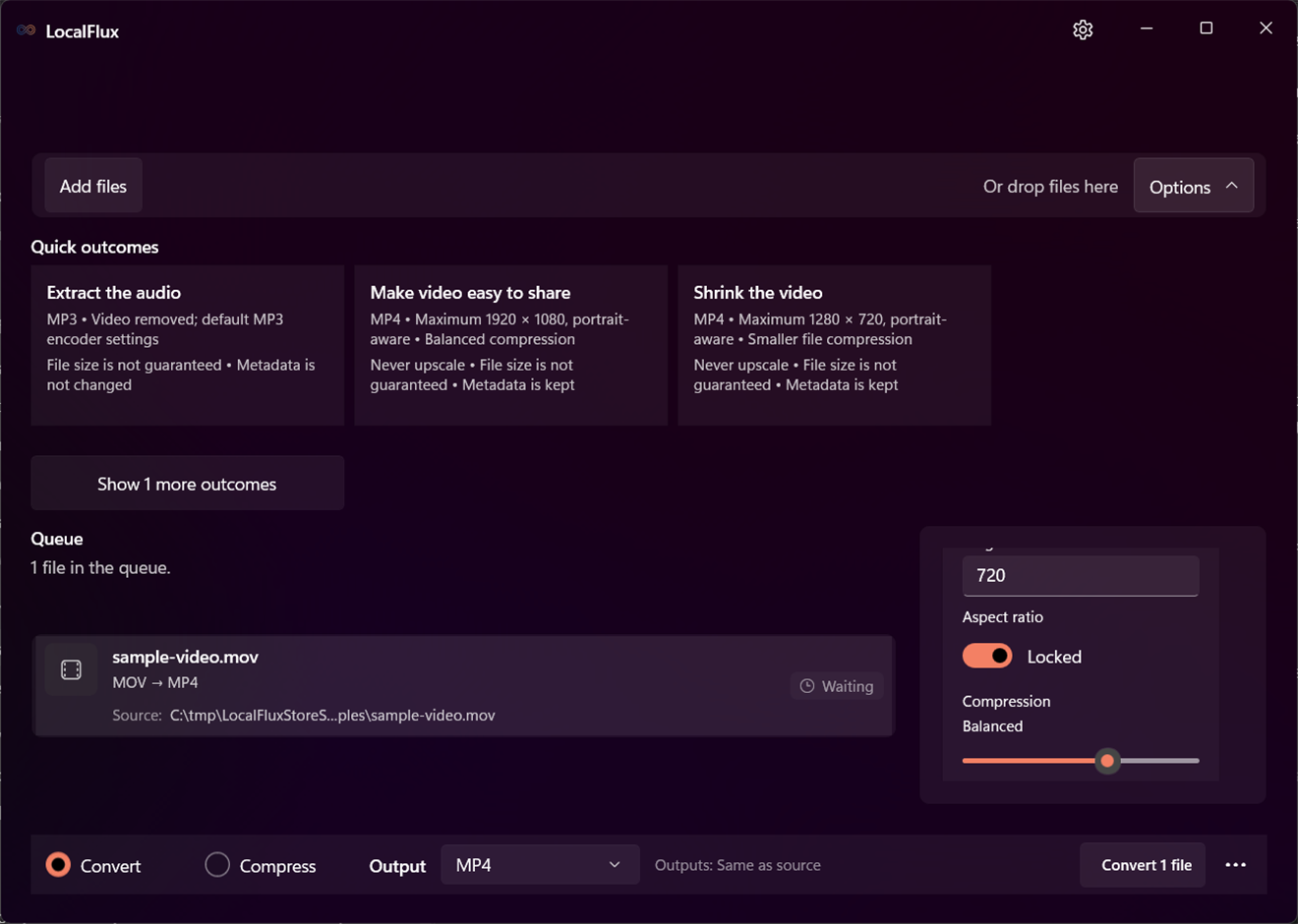
Supported conversions use the engines included with LocalFlux. Source files are not uploaded to LocalFlux for conversion, and no account is required.
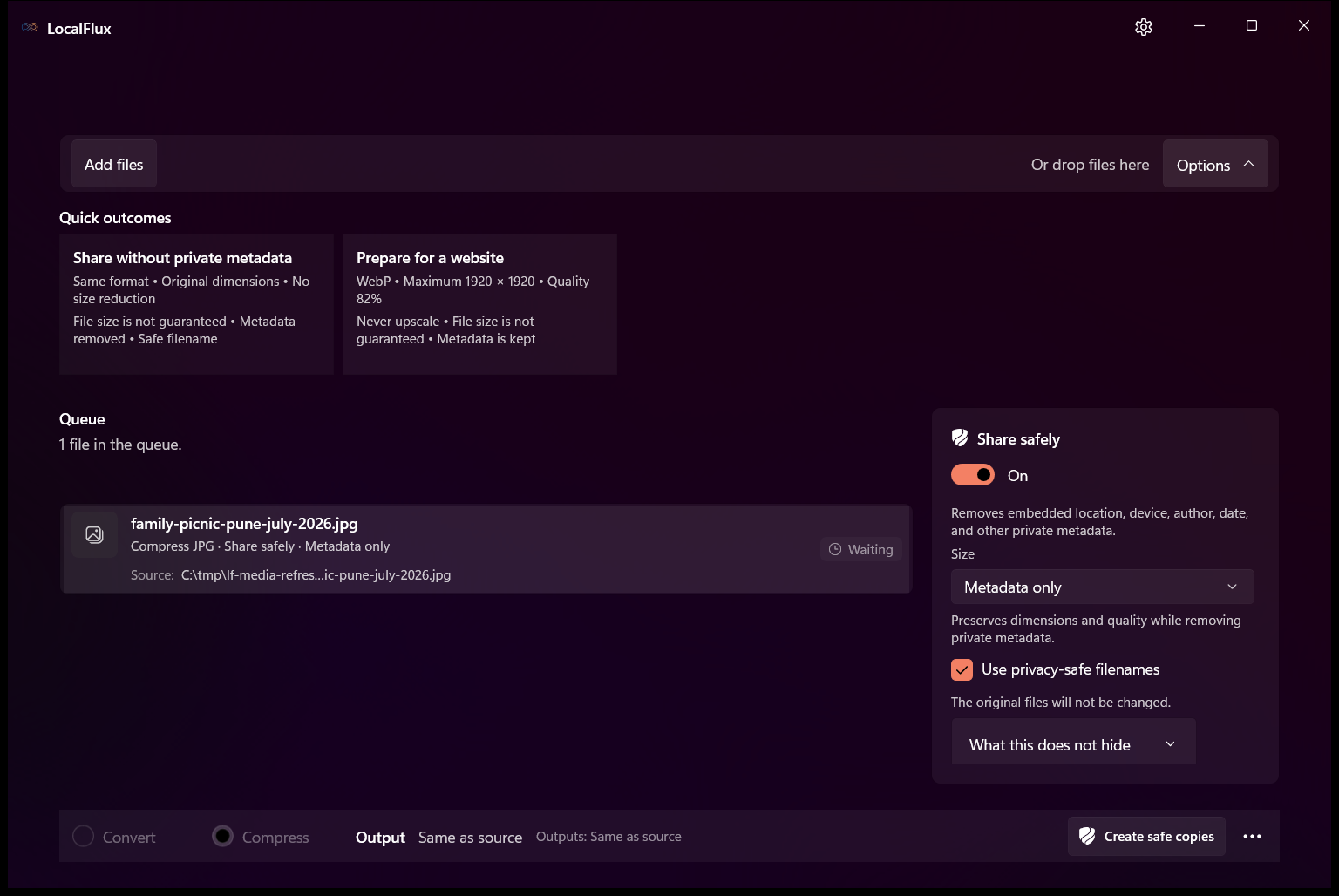
Supported conversions run on your Windows PC after Microsoft Store setup.
LocalFlux writes each result as a new file. A new name is used if a file already exists.
Share safely can create supported JPG, PNG, or WebP copies with supported location, device, author, and date metadata removed.
Right-click supported files and choose a LocalFlux action. The app opens with those files ready for review.
LocalFlux shows the original size, output size, and percentage saved instead of promising the same result for every file.
Measured with one synthetic 1080p test video using Balanced. Results vary by file and preset.
Install LocalFlux from the Microsoft Store, use the free trial, and make a one time purchase if it fits your workflow.
Free 7 day trial
US$
Prices vary by region. Your local price is shown in Microsoft Store.
Start free trialNo. Supported conversions run locally on your Windows PC without uploading the source files to LocalFlux.
No. It writes converted, compressed, and metadata-reduced sharing copies as new files. A new name is used if a file already exists.
The dedicated format finder lists every current source, output, same-format compression, and verified lossless-optimization route.
Open the supported format finderNo fixed result is guaranteed. Source content and settings matter, and LocalFlux reports the measured output instead of inventing a saving.
Internet is needed for Store setup. After that, supported conversions can run offline.
The Microsoft Store provides the free 7 day trial and shows the one time purchase price for your region. There is no subscription.
Start with the Microsoft Store trial, or check your source and output formats before installing.
Free 7 day trial
US$
Prices vary by region. Your local price is shown in Microsoft Store.